
Procreate Guide – How to import brushes and stamps
Procreate is a great drawing programme for Ipad. It’s really user friendly and along with a digitizer or the apple pen you can really create some beautiful artwork. Further it has a lot of great features and one of them are to create or import special brushes. In this post I will guide you through how to import a brush or a stamp to Procreate on your iPad.
First you need to download a stamp or a brush that you wish to import. You can either download it directly on your iPad or you can download it on your computer and transfer it to your iPad afterwards. I usually download it on my MacBook and transfer the file by airdrop or dropbox. I haven’t yet figured out how to unzip archives on my iPad so I’m doing it on my MacBook before transferring.
From there it’s very easy to import brushes (and stamps).
First you need to open Procreate and open a canvas. It doesn’t matter which size or if it is new or old, you just need to get to the brush menu.
Open the brush menu and tap + in the top corner. This will open the brush studio. Here you need to tap Import.


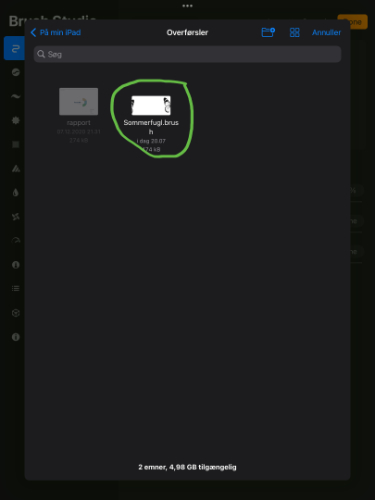
Now you need to chose in which folder your brush (or stamp) is located. Mine is located in “overførsler” which is the danish word for Downloads. Select the brush you wish to import.
The brush will now appear in your brush library. If this is the first brush you’ve imported Procreate will create a new folder called “Imported” at the bottom of the list. Here it will place imported brushes.

From here you can move your brush to any folder you like as well as you can create new folders if you’d like. It it also possible to import folders with brushes and it’s almost the same procedure.
So now you’ve imported your brush! To use it as a stamp, just tap on the screen with the brush (like you would with a real stamp) and you will get this result:
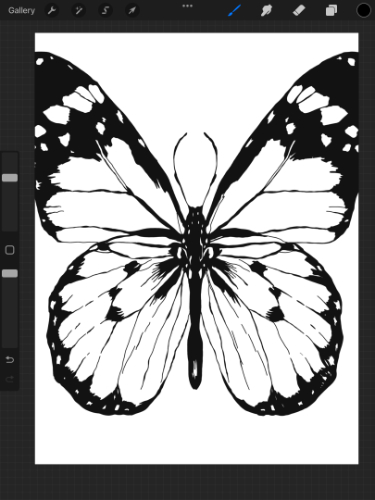
Change opacity and size as you would with a brush and you can even use stamps as brushes as they have the same properties. Stamps are just shaped brushes.
You can get this lovely butterfly stamp from my download page.


